
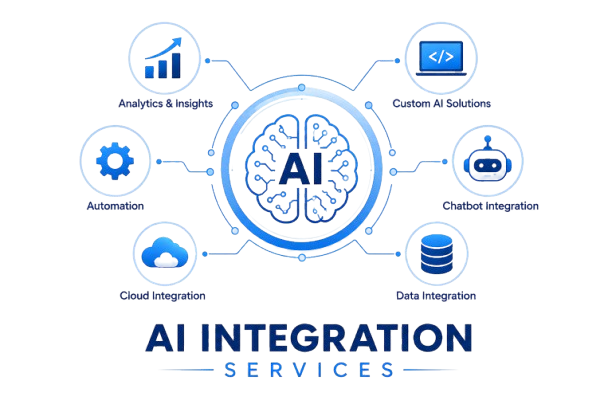
AIIntegrationServices
Connect AI directly to the tools you already use CRM, help desk, email, and ops so it takes action inside real workflows, not in a separate tab.
What "AI Integration" Really Means
Buying a chatbot subscription is not integration. Pasting text into a chat window and copying the result back into your CRM is not integration either it is manual work with an extra step bolted on. Real AI integration means the model is wired into your systems: reading your CRM records, drafting in your inbox, classifying your tickets, updating your database triggered automatically as part of the workflows you already run.
The difference comes down to whether the AI is a destination you visit or a capability that lives inside your tools. Integrated AI does not wait for someone to open a tab and write a prompt. It runs where the work is, on the triggers that already drive your business, and it acts on the results without a person shuttling data back and forth. That shift from AI as a manual assistant to AI as a working part of your systems is the whole point of integration.

Why Integration Is Where the ROI Is
A standalone AI tool saves a little time on individual tasks. Integrated AI changes how work flows. When the model is connected to your systems, it can handle entire steps autonomously reading an incoming email and updating the right record, summarizing a call and logging it to the CRM, classifying a support ticket and routing it with no human in the loop for the routine cases.
That is the gap between "we use AI" and "AI does the work." Most businesses are stuck in the first category, with AI as a clever assistant in a separate window that still depends entirely on a person to act on its output. Integration moves you to the second, where the AI is wired into the flow and the routine work simply happens. The return is not the cleverness of the model; it is the elimination of the manual handoffs around it.
What We Integrate
LLMs into your stack
We connect OpenAI, Claude, or Gemini to your CRM, email, Slack, help desk, and databases, so the model can read and act on your real data where it lives.
AI API automation
Custom API workflows that send your data to a model and route the result back into the right system, with logic and error handling around it.
Generative AI integration
Content, summaries, and drafts generated inside your existing tools in the inbox, the CRM, the document rather than in a separate app you have to visit.
RAG and knowledge integration
AI that answers from your documents and data, not the open web, so responses are accurate and specific to your business.
Agent integration
AI agents wired into your systems to take action create records, send replies, trigger workflows not just respond to questions.
CommonIntegrationsWeBuild
We integrate AI across the tools businesses actually run on, meeting your stack where it is rather than asking you to change it.
CRM
HubSpot, Salesforce, GoHighLevel: AI drafting, scoring, enrichment, and record updates.
Help desk
Zendesk, Intercom, Freshdesk: AI classification, drafting, and resolution.
Email and calendar
Drafting, summarizing, scheduling, and follow-up.
Slack and Teams
AI assistants and notifications where your team already works.
Databases and spreadsheets
Reading, writing, and transforming data with AI in the loop.
Custom internal tools
Via API, so even bespoke systems get an AI layer.
Integration vs. Development: What You Actually Need
There is a useful distinction worth being clear about, because it affects cost and timeline. AI development means building custom models or applications from scratch training a model on your data, building bespoke AI software. AI integration means connecting existing, proven models like OpenAI, Claude, or Gemini into your tools and workflows. The two get conflated, and businesses sometimes assume they need expensive custom development when integration would serve them better and faster.
For the large majority of businesses, integration is what delivers the value. The frontier models are already extraordinarily capable; the bottleneck is rarely the model itself but the fact that it is not connected to your systems. Wiring a proven model into your real workflow is faster, cheaper, and lower-risk than custom development, and it captures most of the available return. We will tell you honestly which one your situation calls for and it is almost always integration.
Keeping Integrations Secure and Accurate
Security
We use proper access controls, keep credentials in secure environment configuration rather than hardcoded, and where data sensitivity demands it build on self-hostable infrastructure so your data stays in your environment. Each integration is scoped to exactly what the AI needs, and nothing more.
Accuracy
We ground the AI in your real data through retrieval-augmented generation, add validation on outputs, and keep humans in the loop wherever a mistake would be costly. The aim is an integration you can actually trust to run on its own for the routine cases not one you have to double-check constantly.
Monitoring & observability
We provide real‑time dashboards and alerts for every integration so you know exactly when a workflow runs, what it processed, and if anything needs attention, before it becomes a problem.
Why Clickmasters
We integrate into your real workflow
Not a demo the actual systems where your work happens, on the triggers that already run your business.
Model-agnostic
OpenAI, Claude, or Gemini, chosen per task and cost, so you get the best fit rather than a single-vendor default.
Security-conscious
Access controls, scoped permissions, and self-hosting where the data demands it.
You own it
Documented, maintainable integrations you control, with no black boxes and no lock-in.
Fast implementation
We get your first integration live in weeks, not months, using pre‑built connectors and battle‑tested patterns so you see ROI quickly.
Frequently Asked Questions
See where AI fits in your stack.
Book a free integration audit we'll map the highest-ROI connection first, with no obligation.